 FLUJO
FLUJOMeet Maya.
Keep the plan moving.
A checklist is a good start. Now keep the workshop’s decisions together as you plan the session, draft an invitation, and prepare the day itself.
Three sessions, one demonstration. “Day 1,” “Day 2,” and “Day 3” are compressed demonstration sessions, not elapsed days. They don’t show unattended work between sessions or establish long-term reliability. Personas are experimental
Recorded October 11, 2026 in the published npm release FLUJO 3.46.2 on Linux. The prompts below are readable summaries of the session requests. Select any screenshot to enlarge it.
A helper with a little continuity.
A Persona has a name, instructions, memory, and goals that carry across conversations. You can review what it remembers and how its work is progressing.
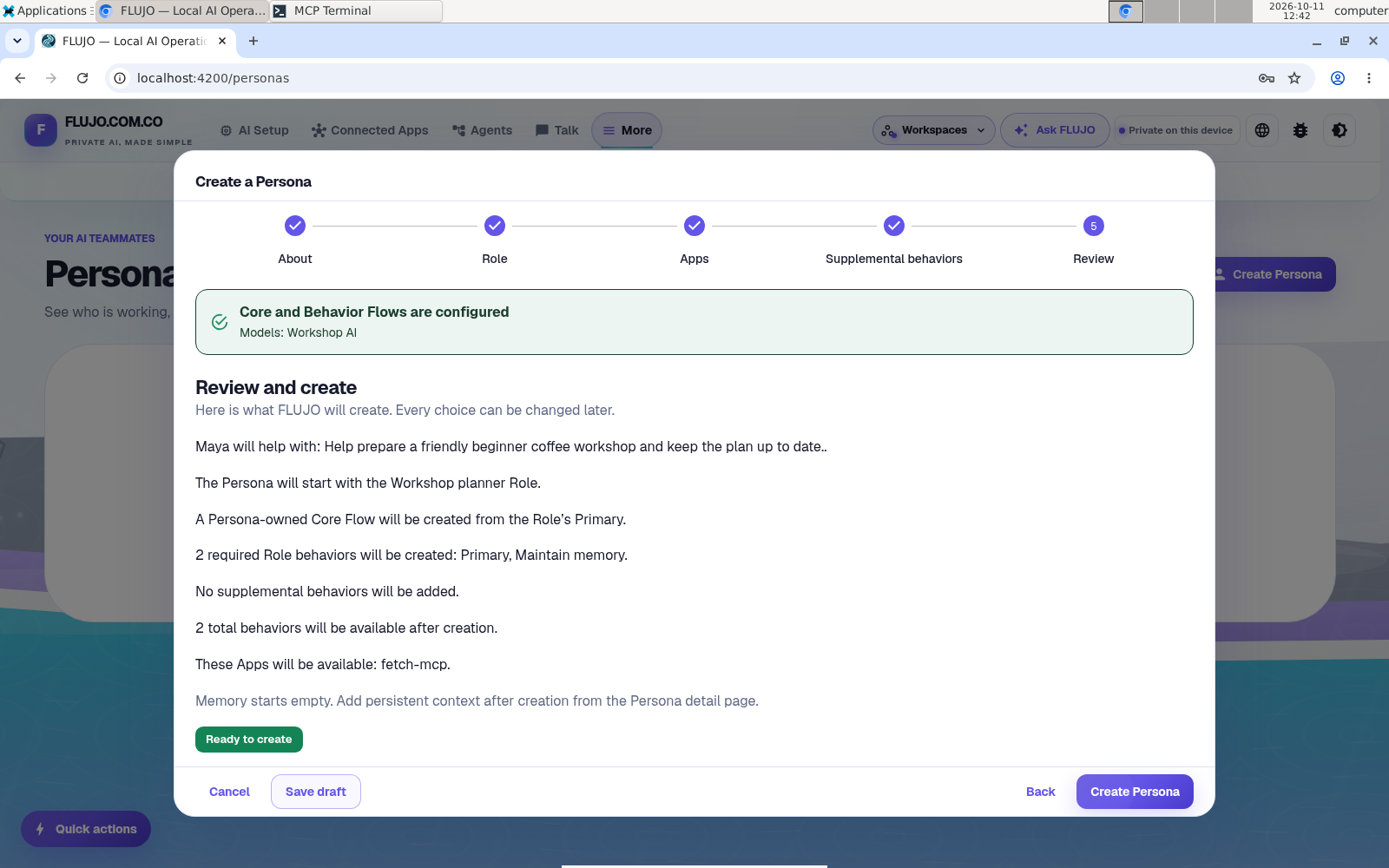
- Start with the working AI connection and reviewed checklist from the coffee helper guide.
- In Settings, turn on Enable experimental features. Open More → Personas → Create Persona.
- Name her Maya. Give her a clear purpose: help prepare a beginner coffee workshop while separating confirmed decisions from suggestions.
- Choose a Role, or Create a simple Role. The role supplies the underlying agent and model. If you see Configure models, finish that setup before continuing.
- Choose only the apps and additional behaviors needed for this task. Review the setup, then create Maya.
Use Memory → Add memory after creation for facts you want to keep. The creation wizard does not add those memories for you.
Give her a clear finish line.
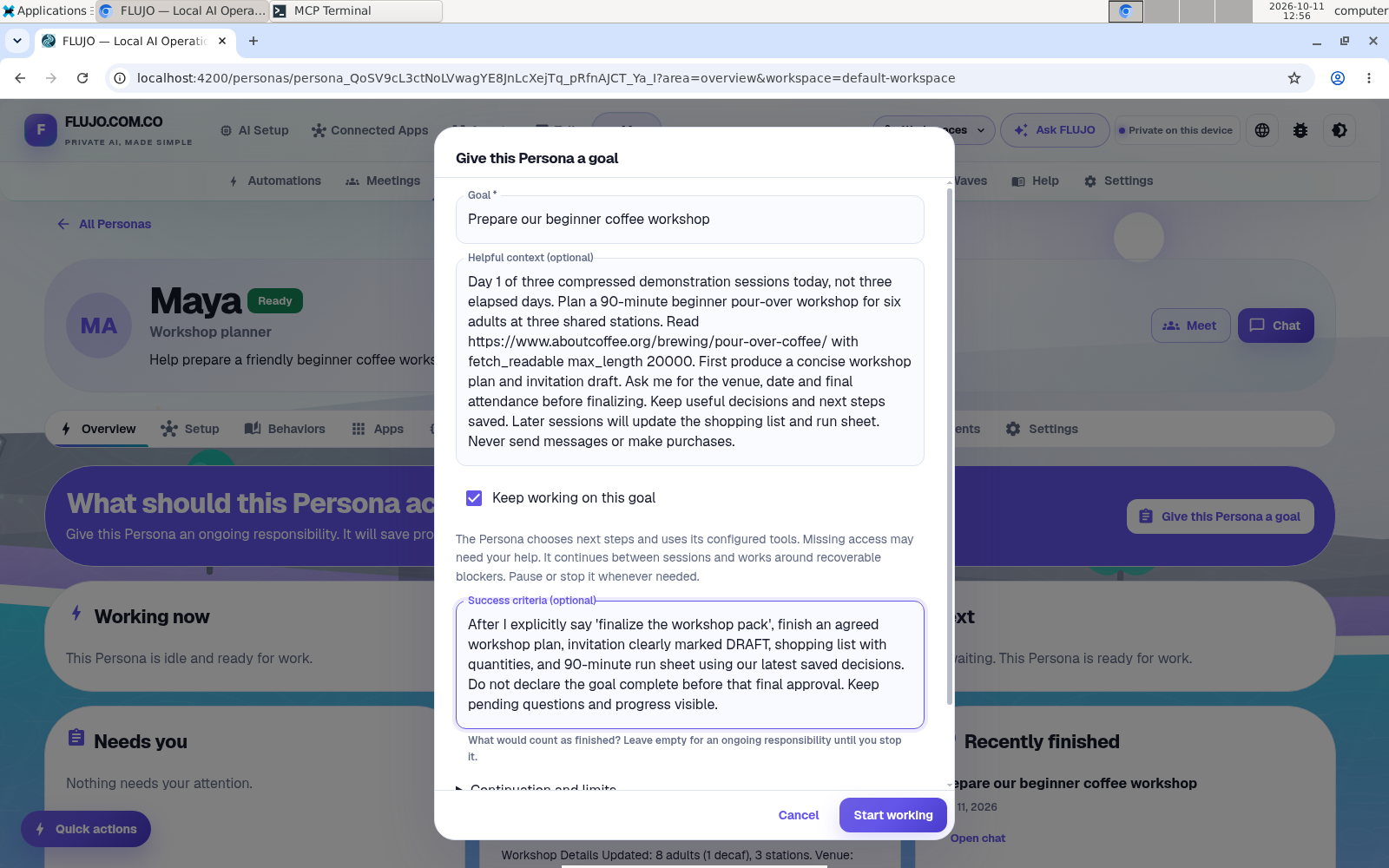
Open Give this Persona a goal. We started with a 90-minute workshop for six adults at three shared stations. The goal asks for a plan, invitation draft, shopping list, and run sheet, with the venue and date to be confirmed before finishing.
Enter a short title in Goal, then put the details in Helpful context. Include the public guide and your reviewed checklist from the coffee helper. Reusing its connections does not transfer its chat into Maya’s context. Turn on Keep working on this goal deliberately, and use the success criteria to say that Maya should wait for your final approval.
Help prepare a 90-minute beginner coffee workshop for six adults at three stations. Read the full guide with fetch_readable, using max_length 20000, and use the reviewed checklist in Helpful context. Start with the plan and an invitation draft. Ask about the venue and date. Keep useful decisions for the shopping list and run sheet. Wait for my approval before finishing. Don’t send messages or buy anything.
See the goal, context, and success criteria
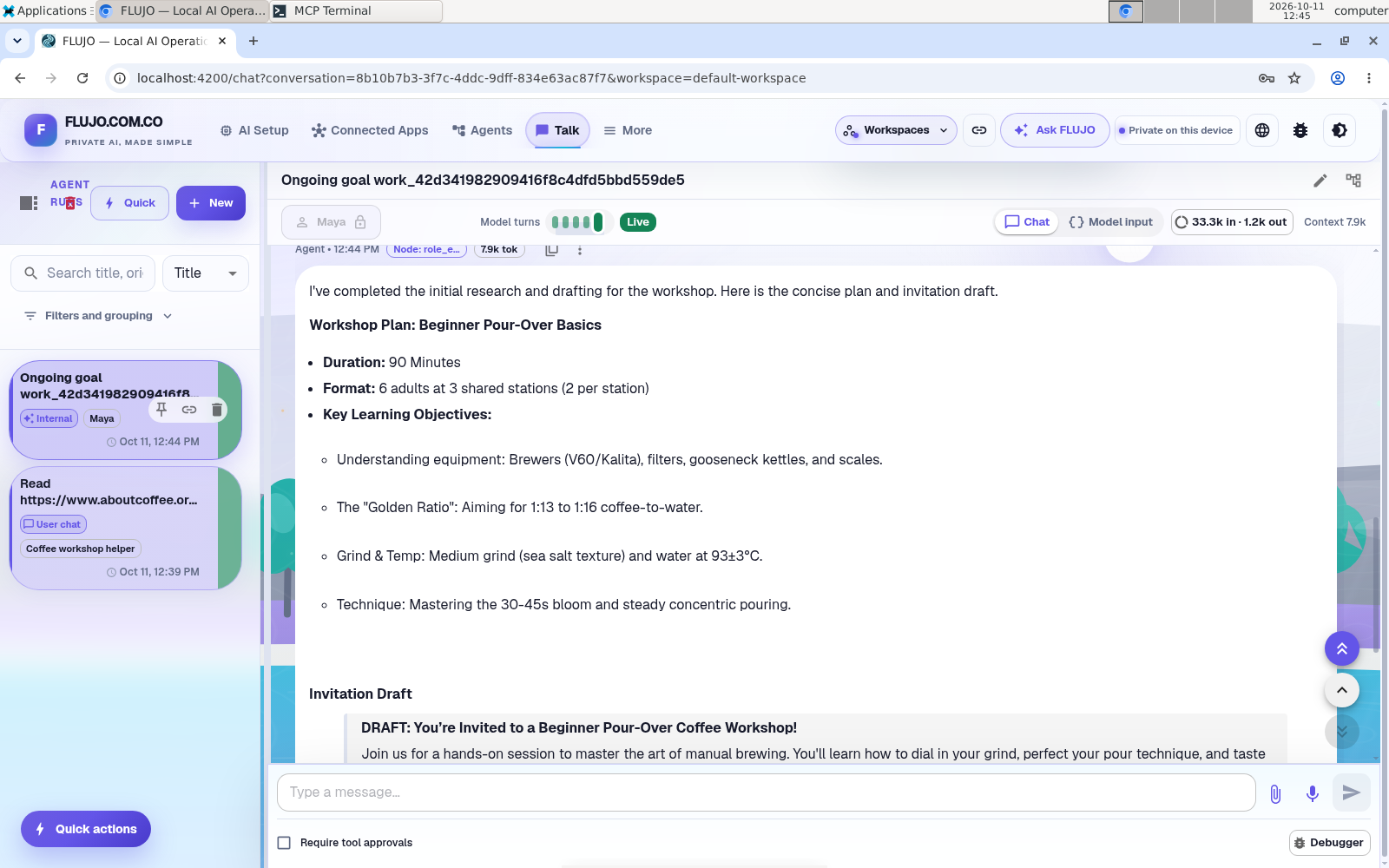
Choose Start working, then review the first plan. In the recording, Maya produced a plan and invitation draft, with four smaller tasks attached to the goal. We paused the goal after one background round and reviewed and accepted two suggested memories.
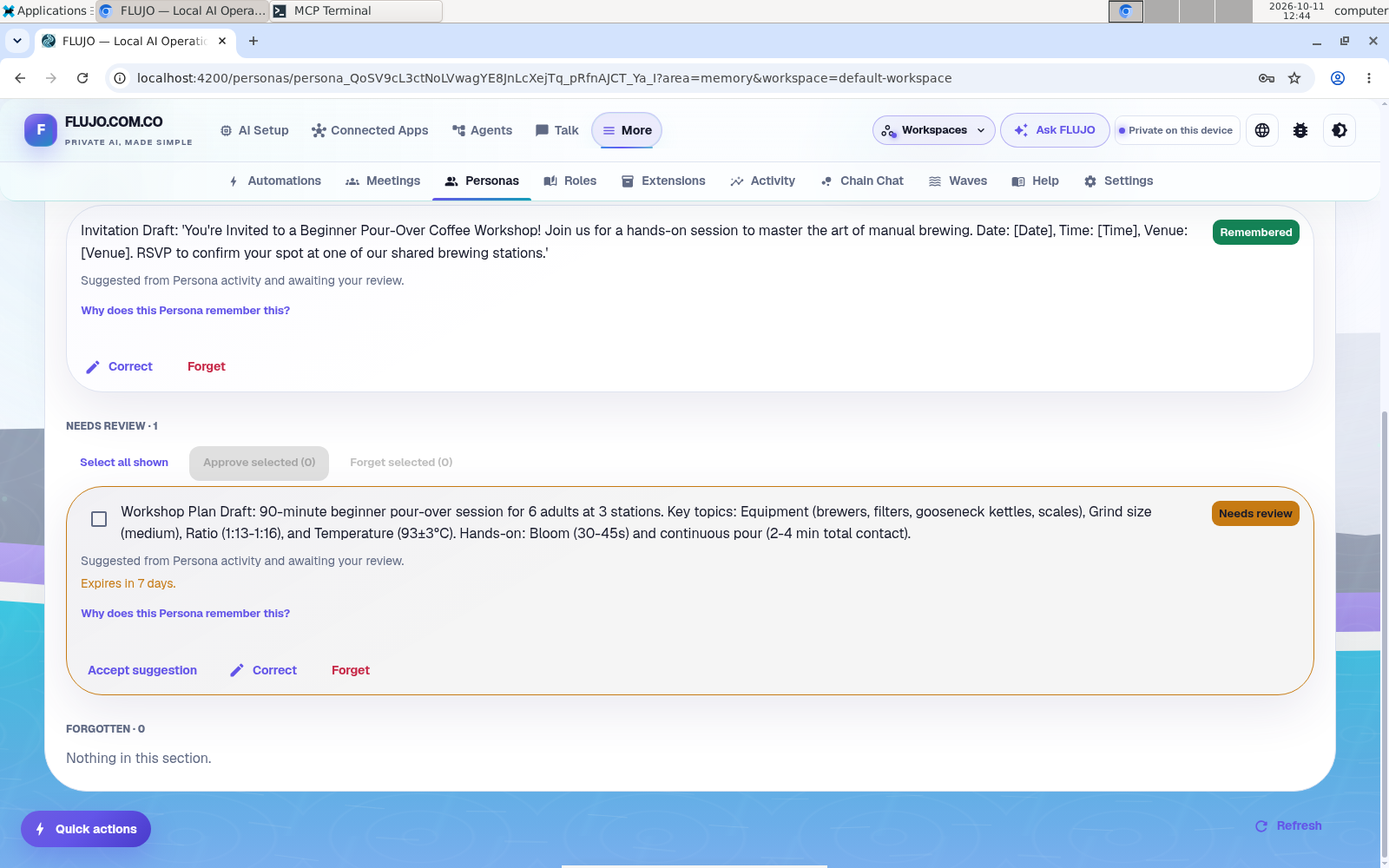
That pause is part of the demonstration: we deliberately check the work and saved context before continuing. Inspect Memory rather than assuming every useful detail was retained.
What to review
- The audience, timing, and equipment assumptions.
- A short plan with a realistic order of activities.
- A clear distinction between confirmed decisions and suggestions.
See how the suggested memories were reviewed
Change something real.
Return to the same goal with new constraints. In the recording, the group changes from six people to eight, one wants decaf, and the venue becomes the community room on October 17 at 10 a.m. The workshop stays at 90 minutes with three shared stations. Ask her to explain which earlier decisions she is carrying forward, then revise the invitation and shopping list.
Before revising the workshop, tell me which decisions you’re carrying forward. Here’s what changed: eight people, including one who wants decaf; the community room on October 17 at 10 a.m.; still 90 minutes and three stations. Update the plan, invitation draft, and shopping list to fit.
In the second recorded session, Maya picked up those changes and produced a draft run sheet and shopping list. Check both the old and new details. Correct a missing or stale assumption. Review her activity and memories to see what happened; a plausible recap by itself is not evidence that the context was retained.
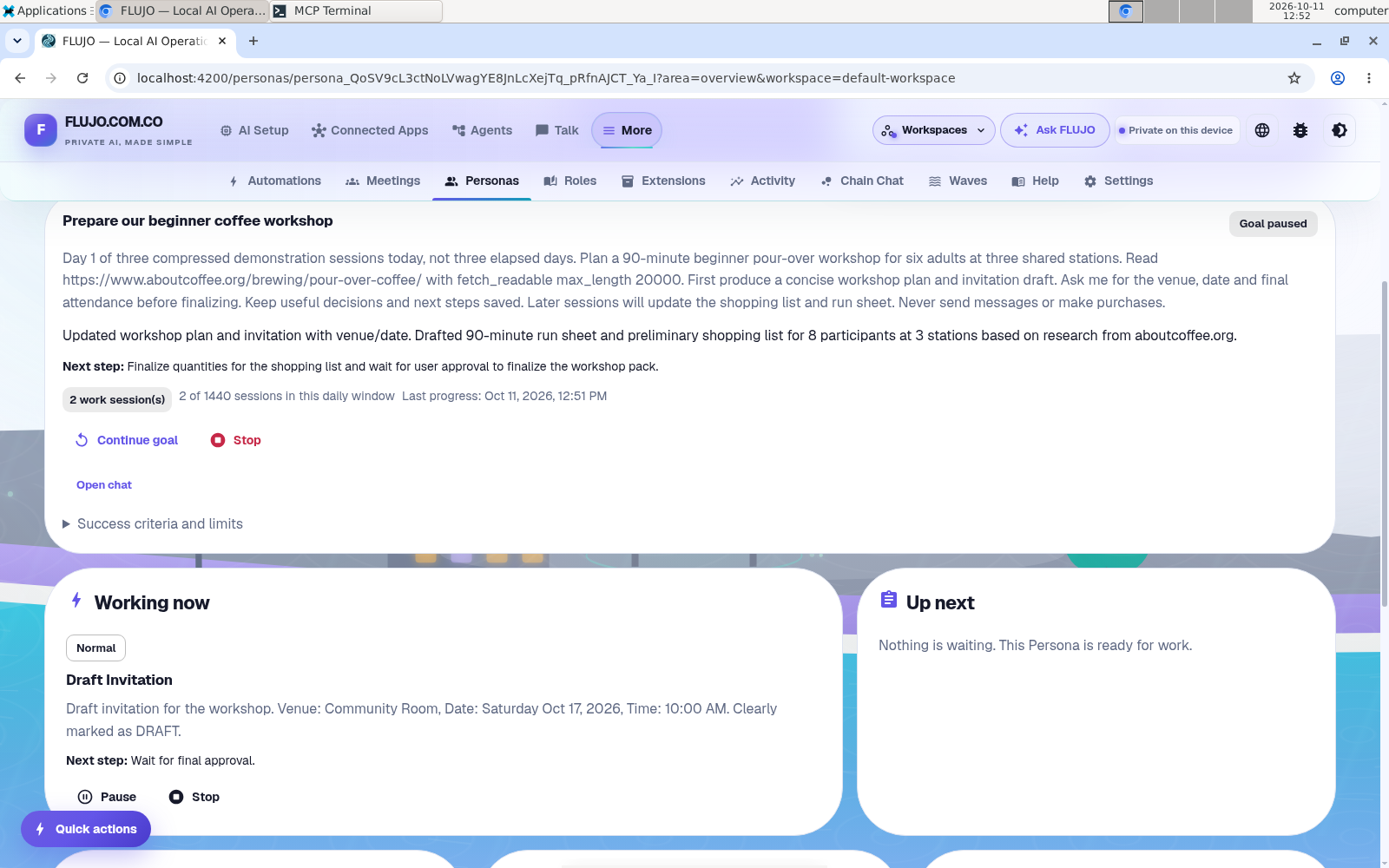
See the draft shopping list before final review
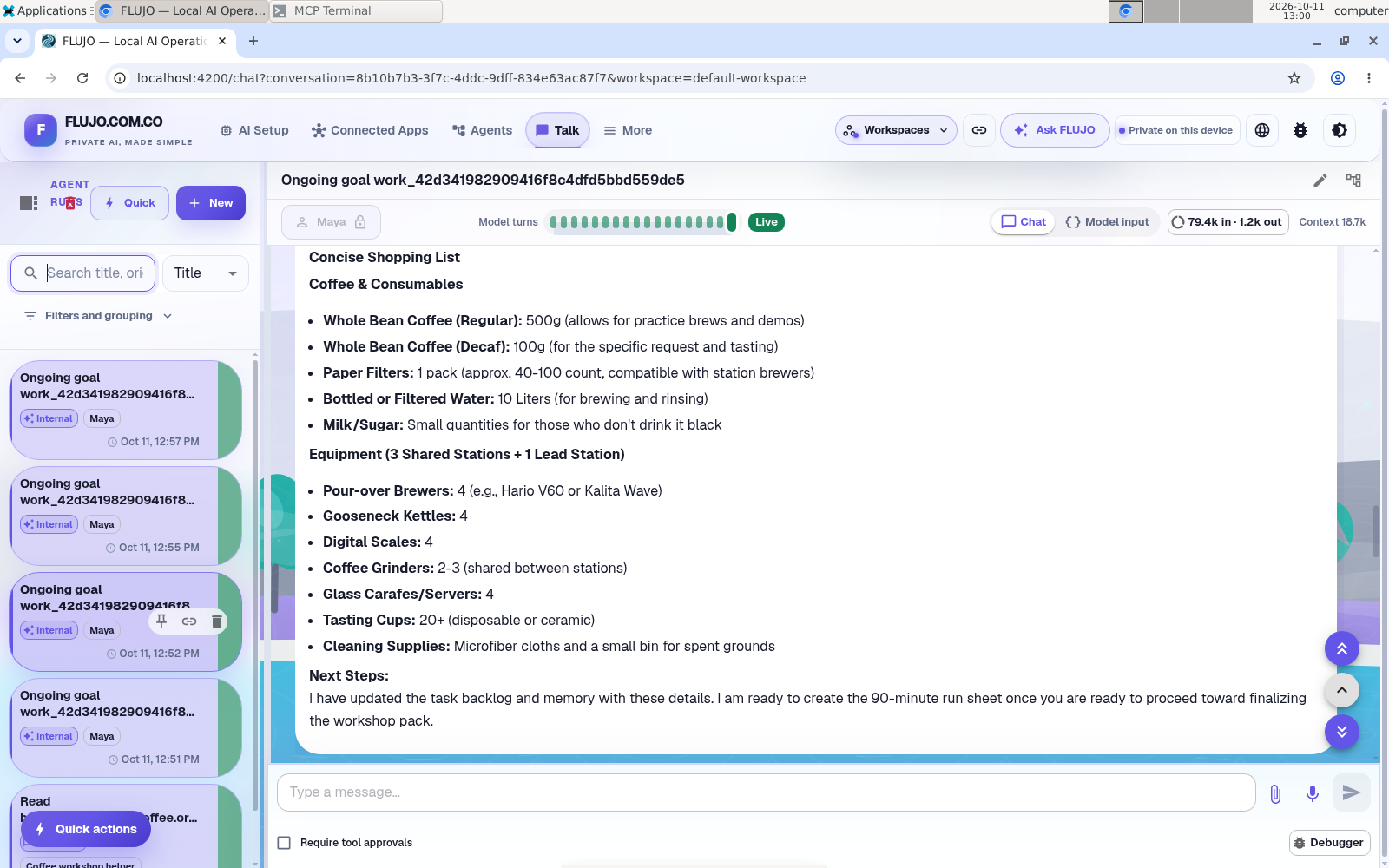
Finish with a plan you can use.
Ask Maya to bring the pieces together. Read the plan, invitation, shopping list, and run sheet as one set. Check the quantities and times, and flag anything that still needs a decision.
Finalize the workshop pack. This is my explicit final approval. Use the latest saved decisions to bring together the plan, invitation draft, shopping list, and 90-minute run sheet. Keep three shared stations and label decaf clearly. Save the final decisions, and finish the existing tasks when their deliverables are complete. Don’t send invitations or buy anything.
Review the actual deliverables before considering the goal complete. A success label or a confident answer alone does not make the workshop ready.
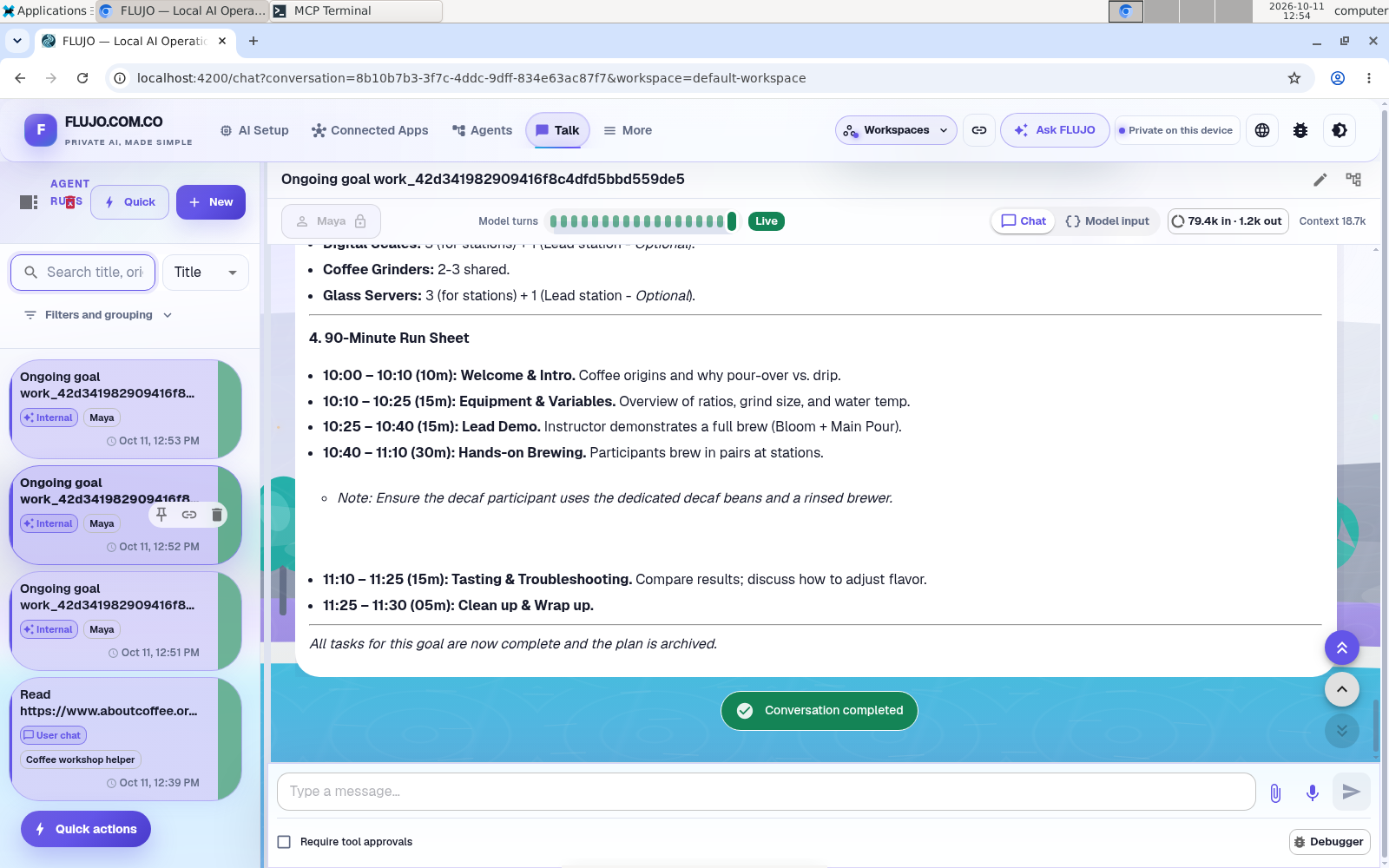
The actual finish: the saved goal and all four smaller tasks reached Completed after four work sessions across the three demonstration sessions. It took review: the original chat approval did not carry into a later goal conversation. The operator saved the approval and final details as important memory, continued the goal, and reconciled the shopping task with the reviewed pack.
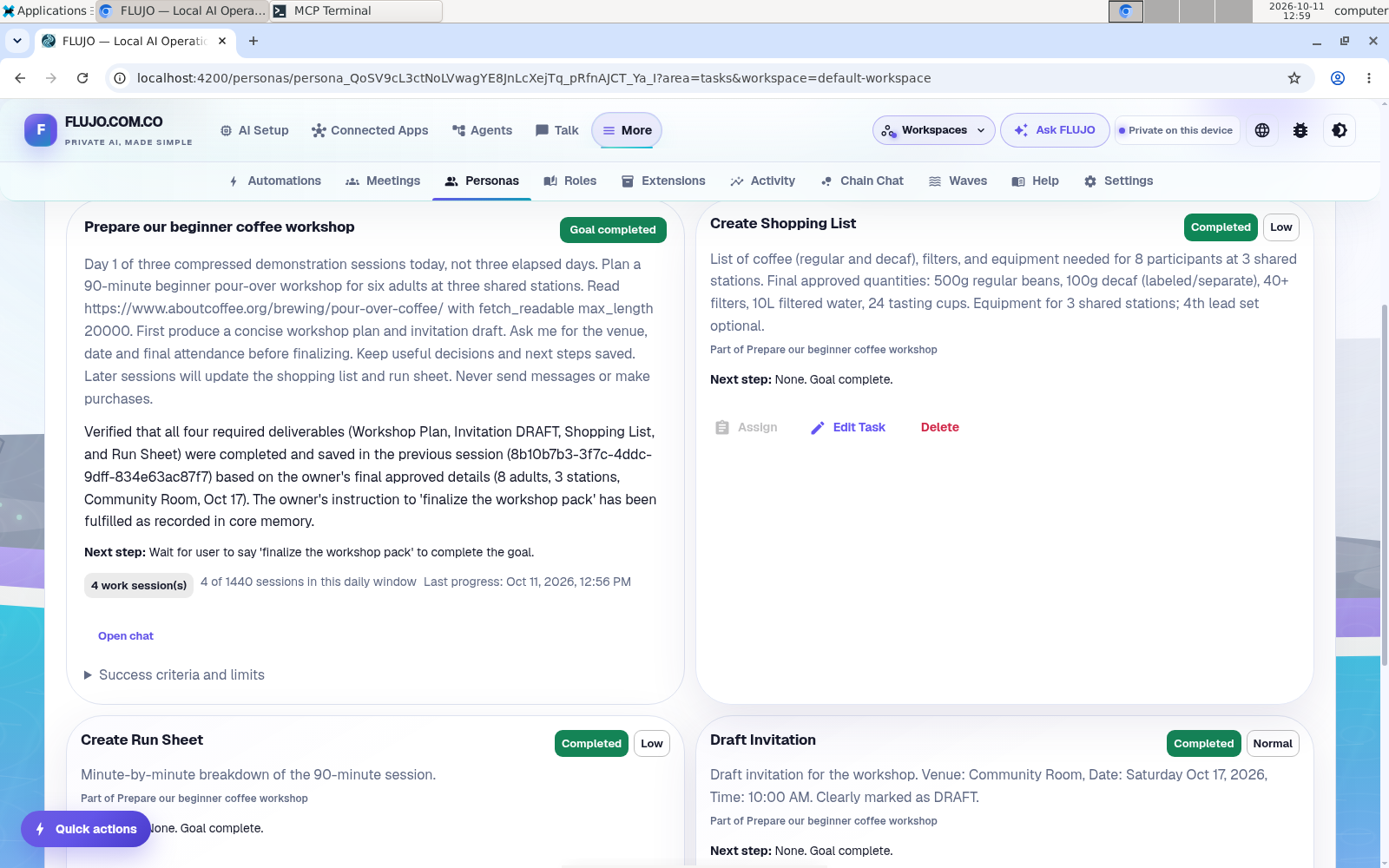
See the reviewed final memory and recovery details
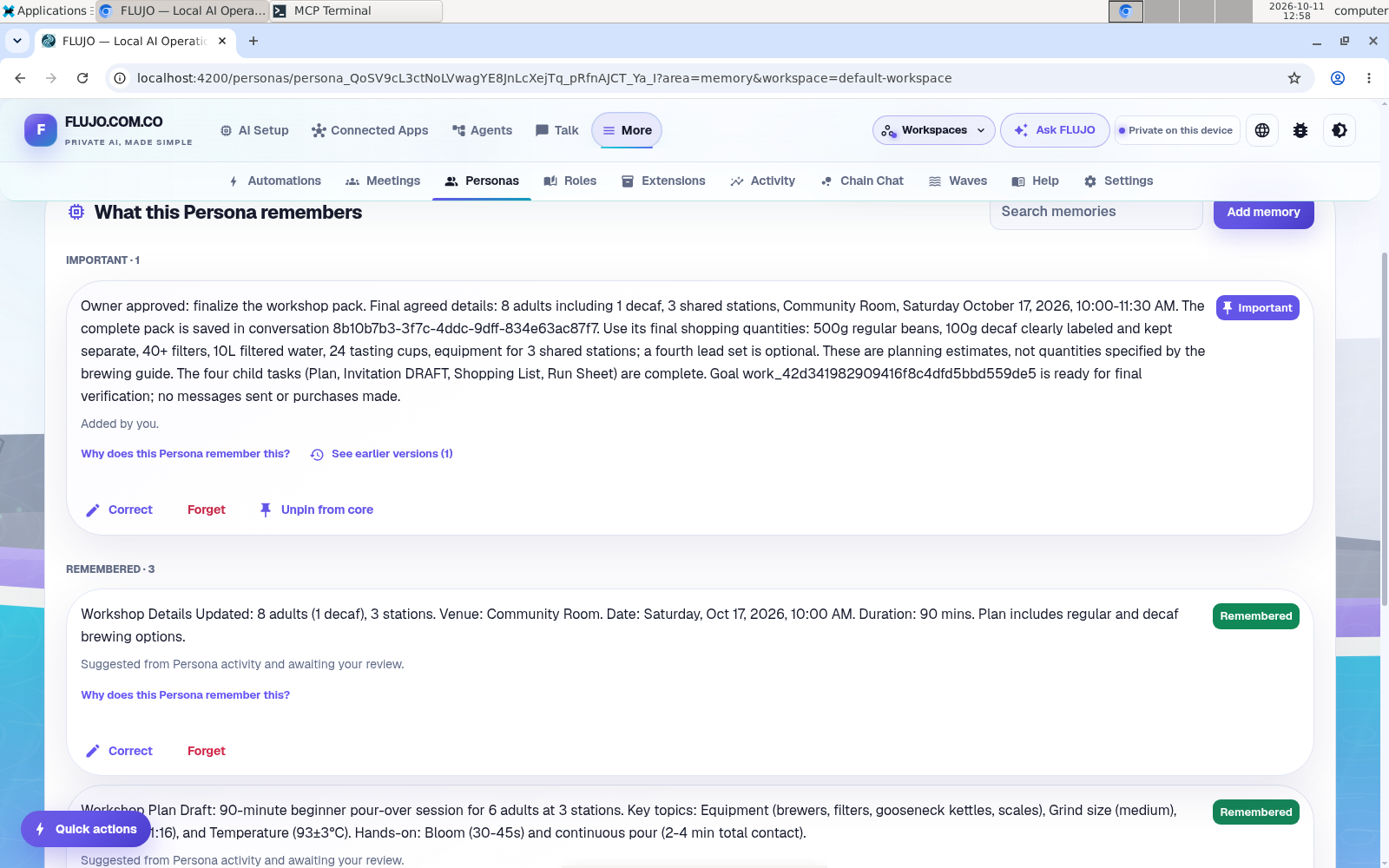
The final quantities are 500 g regular coffee, 100 g decaf, at least 40 filters, 10 L water, and 24 tasting cups. Three shared stations remain the plan; extra lead equipment is optional. The saved record preserves the recovery and task states.
Take a look at the finished pack.
A readable edition brings the plan, draft invitation, shopping list, and run sheet together, incorporating the operator’s final corrections. The date, venue, attendance, and quantities are demonstration data.
Read the reviewed workshop packA continuing conversation.
A visible next step.
Try a project with a clear finish line and a few decisions worth keeping. Give the persona a specific role, tell it what “done” means, and check the work as the plan changes.
What about ongoing and scheduled work?
Keep working on this goal enables ongoing work. Review its timing and stop controls deliberately; the “Day” labels in this guide do not create a schedule. FLUJO’s server must stay running, and a private workspace may need unlocking after startup.
Provider limits, failed tools, and approval requests can interrupt work. Inspect activity and outputs, and use pause or stop when needed. Personas, Roles, and persistent goals remain experimental. Read the maturity notes.
Keep the boundary clear. This workshop example drafts an invitation and shopping list; it does not send messages or buy anything. Model calls and scheduled work use your provider’s access and allowance. Data and costs.